
What UX decides
- Can people find what they came for?
- Does the flow match how they already think?
- Where do they hesitate, get stuck, or drop off?
- Is the shortest path also the honest one?
Product Design · UX / UI
From the first wireframe to a polished interface, we handle UX research, product flows, and visual design, then build the same product with the team that designed it.
Scroll to see the work01 · Selected work
A few of the mobile and web products we have designed for founders. Start here. Then see why the UX underneath matters and how we work.
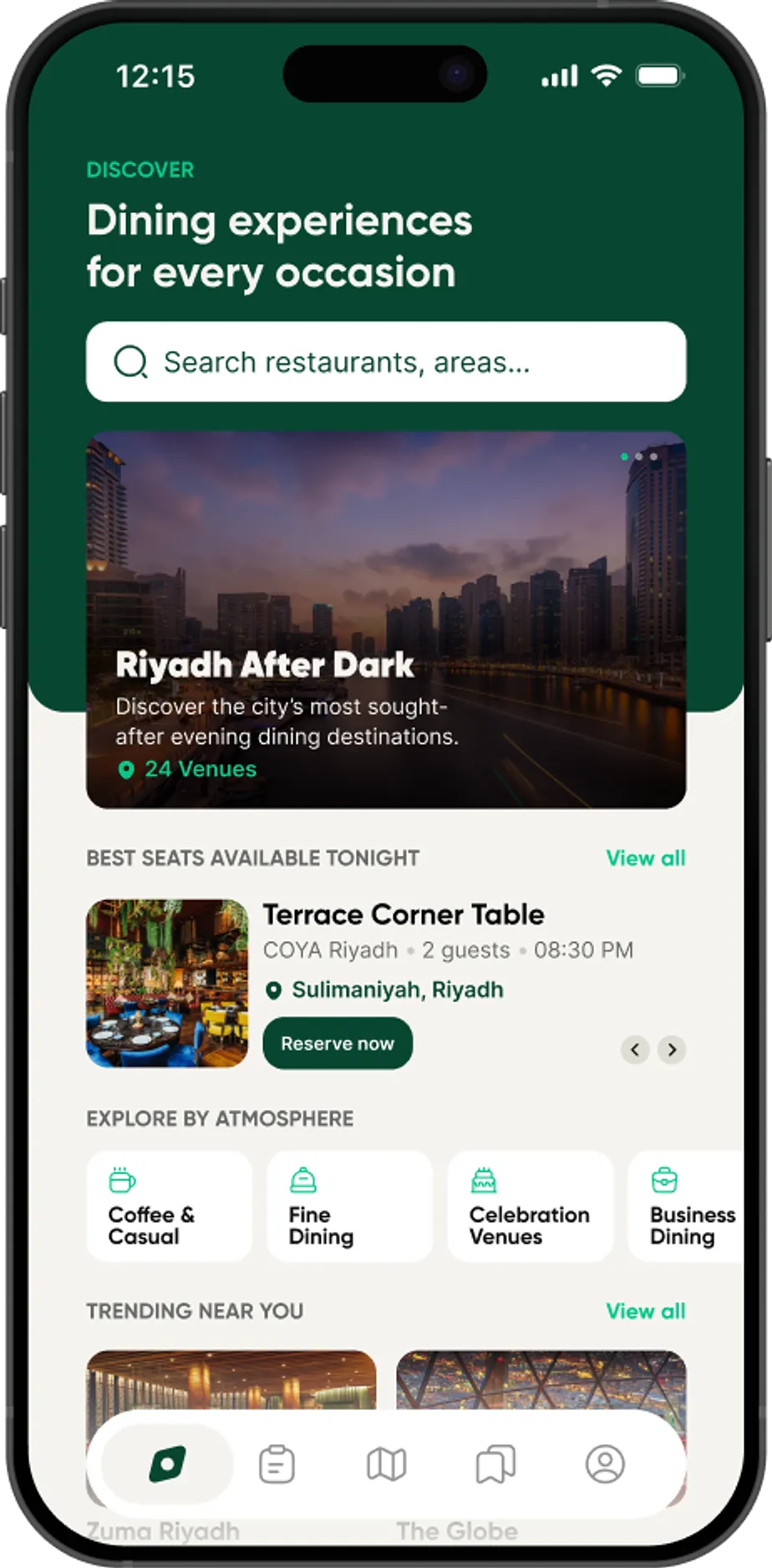
Restaurant discovery and reservations for every occasion across Saudi Arabia and the UAE (Dubai): search, book, and explore the city.
Design delivered · in development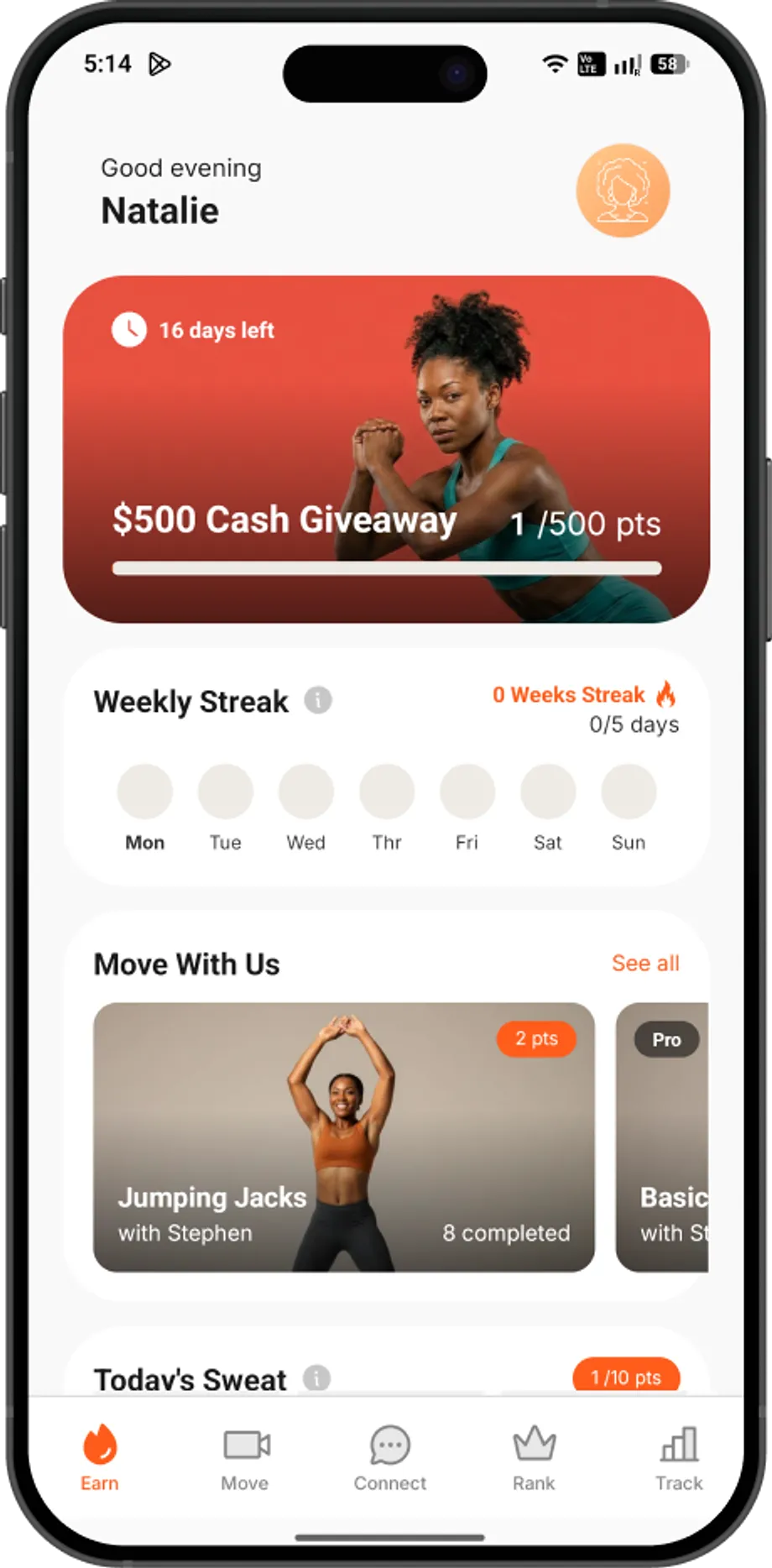
A fitness companion that turns daily movement into streaks and rewards worth showing up for.
View case study →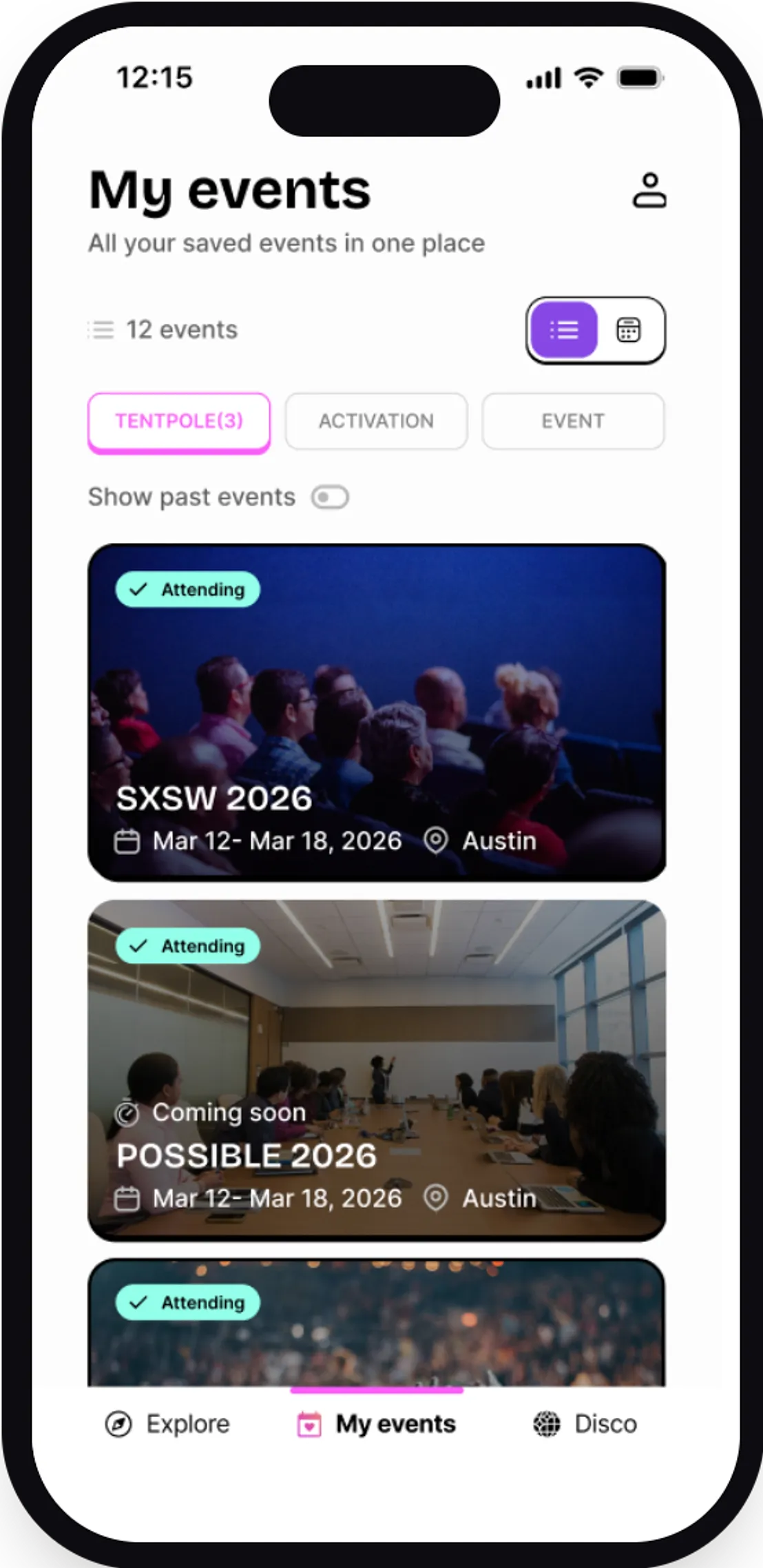
An events companion, save, organize, and discover the conferences and activations you care about.
View case study →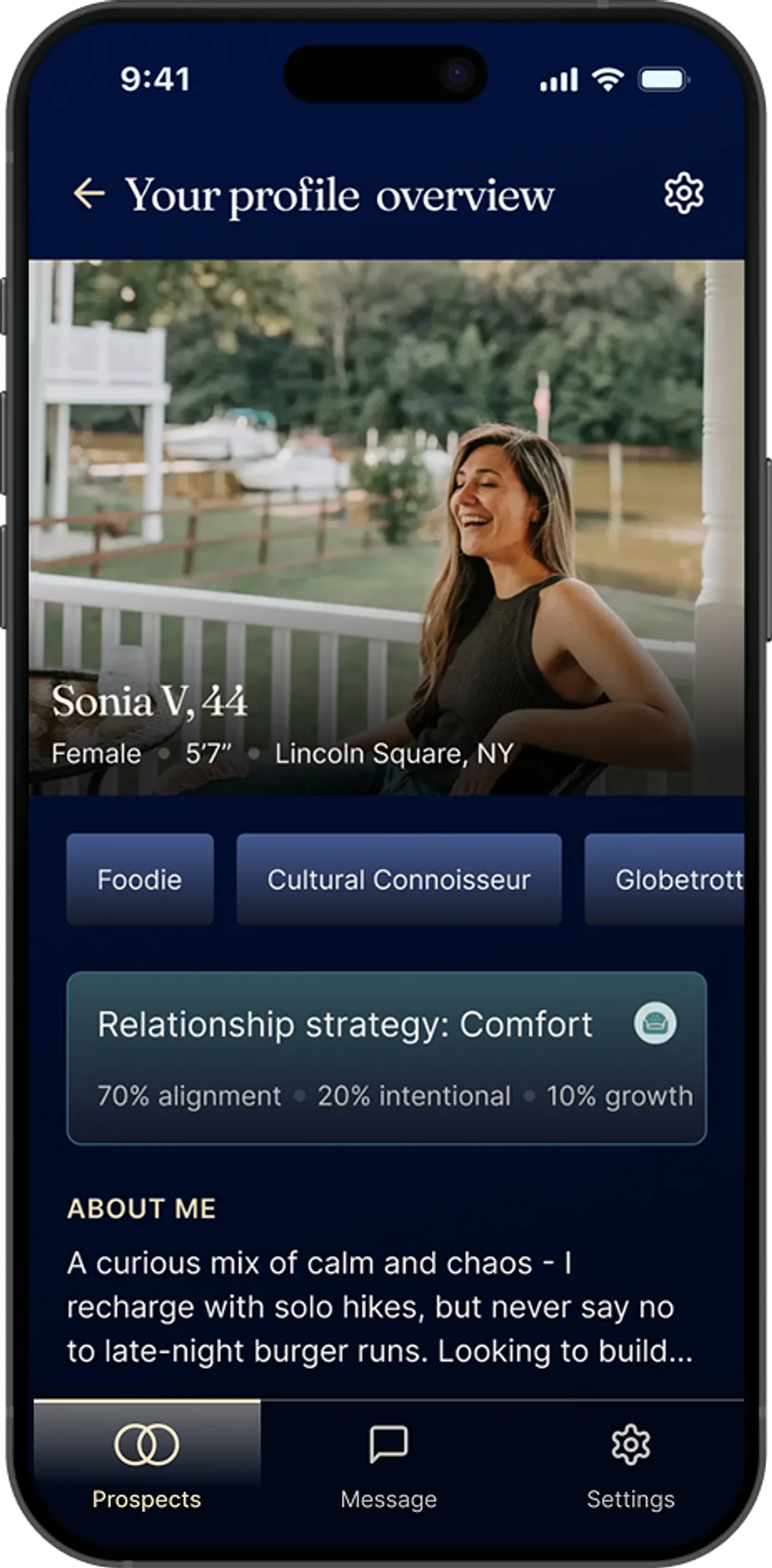
A dating app built around intention, profiles that show how people actually connect.
View case study →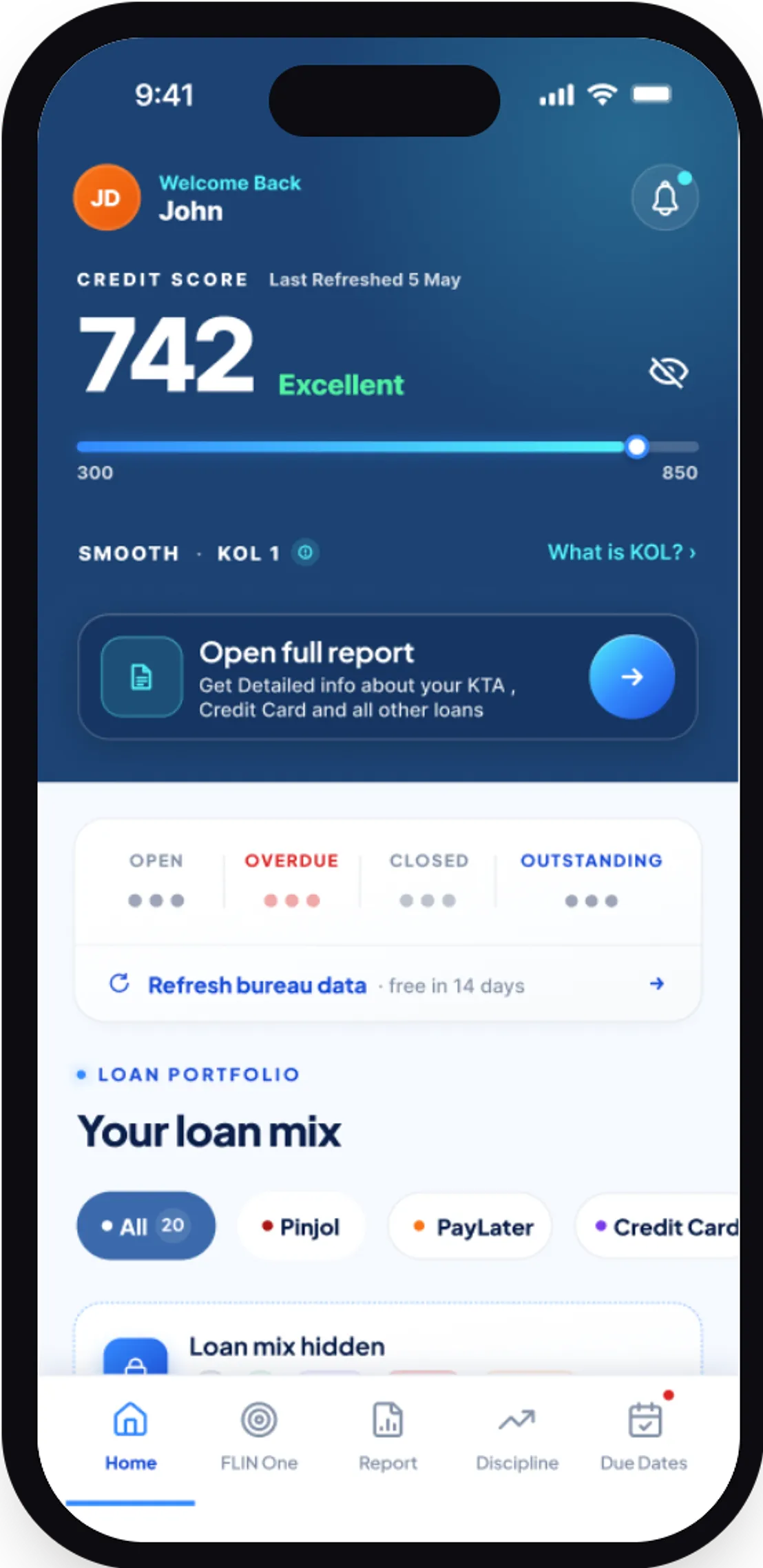
A credit-health companion, score tracking, loan mix, and bureau insights in plain language.
View case study →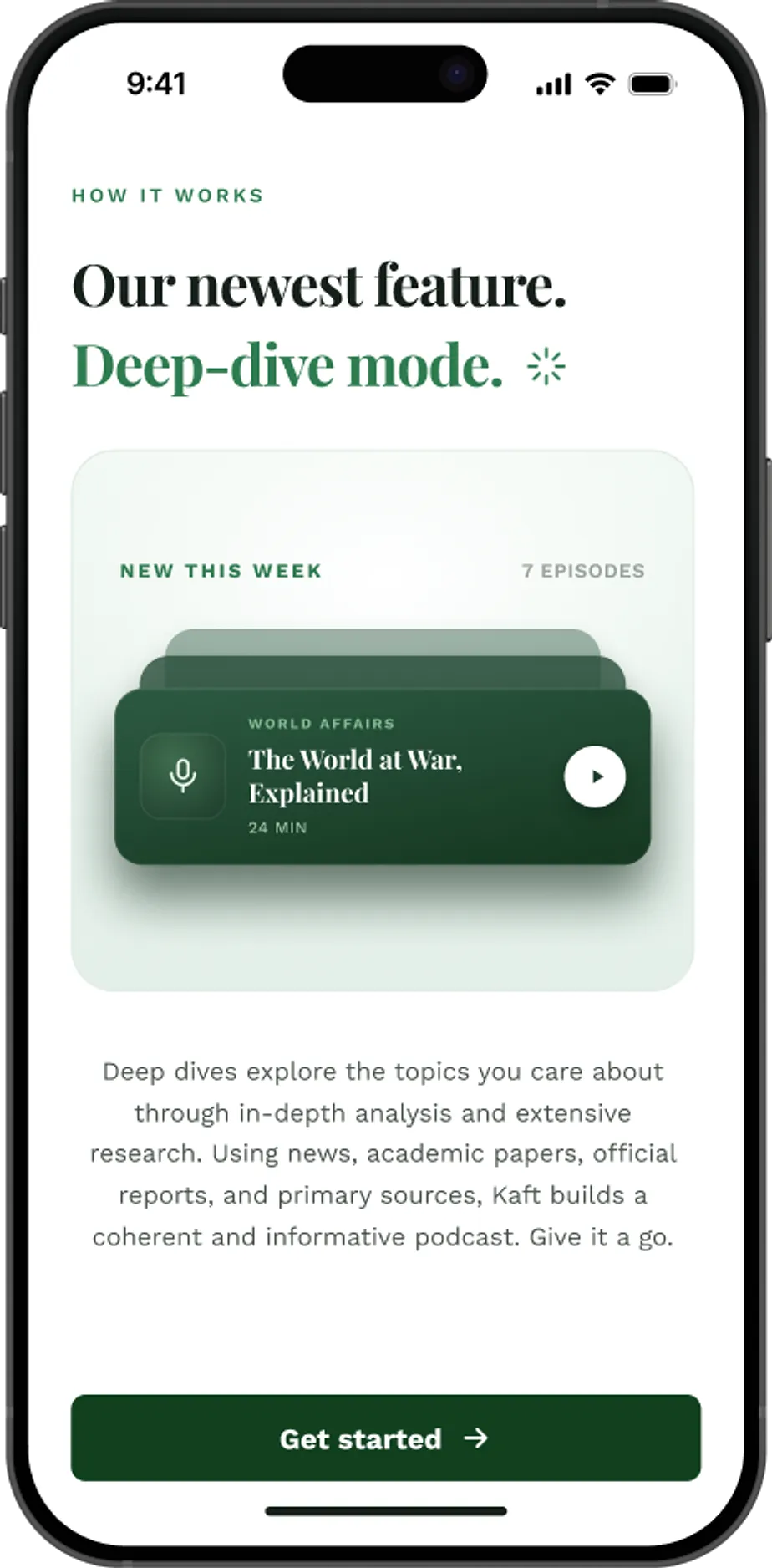
AI deep-dives that turn news and research into a coherent podcast you actually finish.
View case study →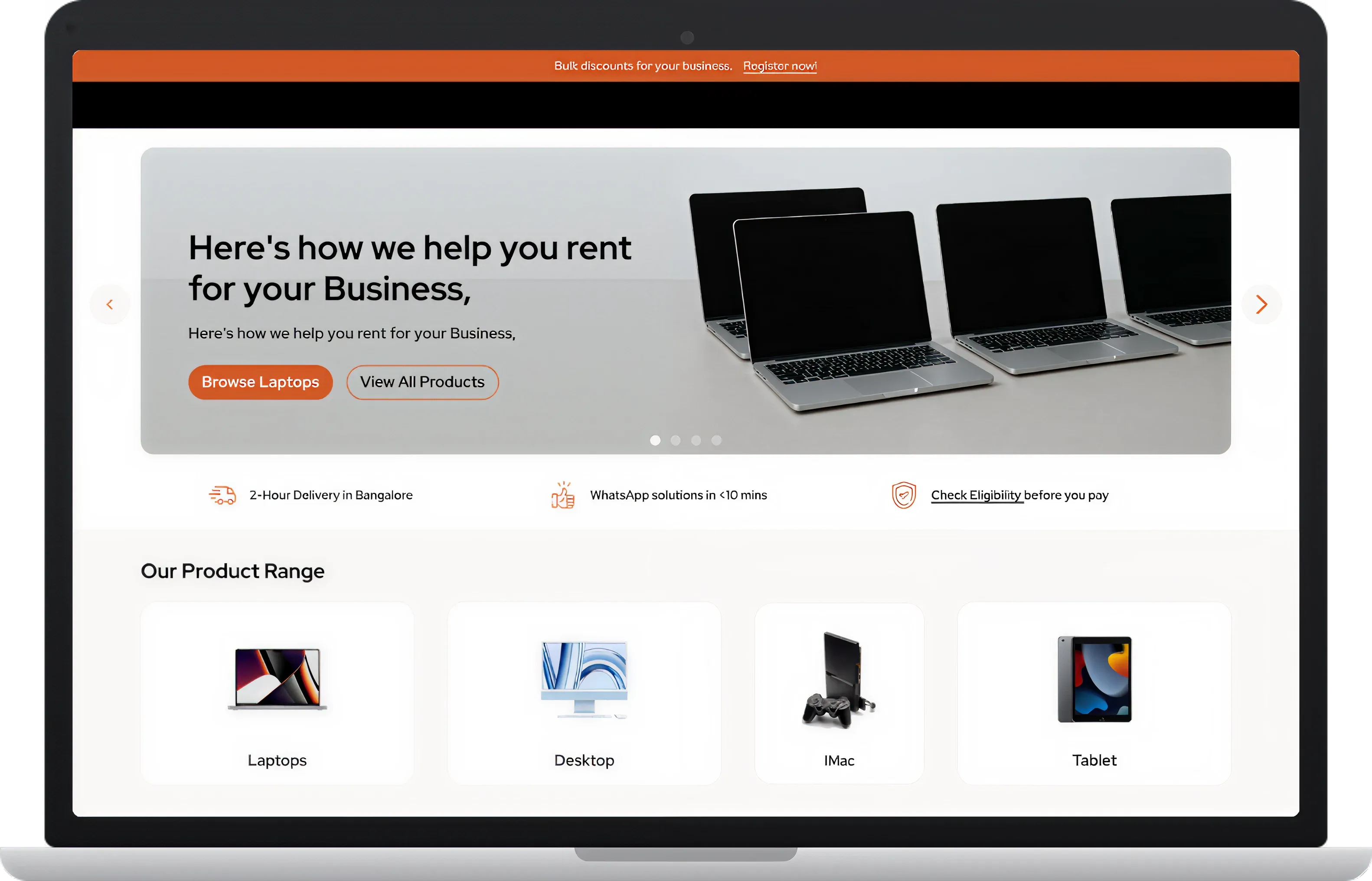
A B2B rental marketplace, catalogue, availability, and checkout for the warehouse floor.
View case study →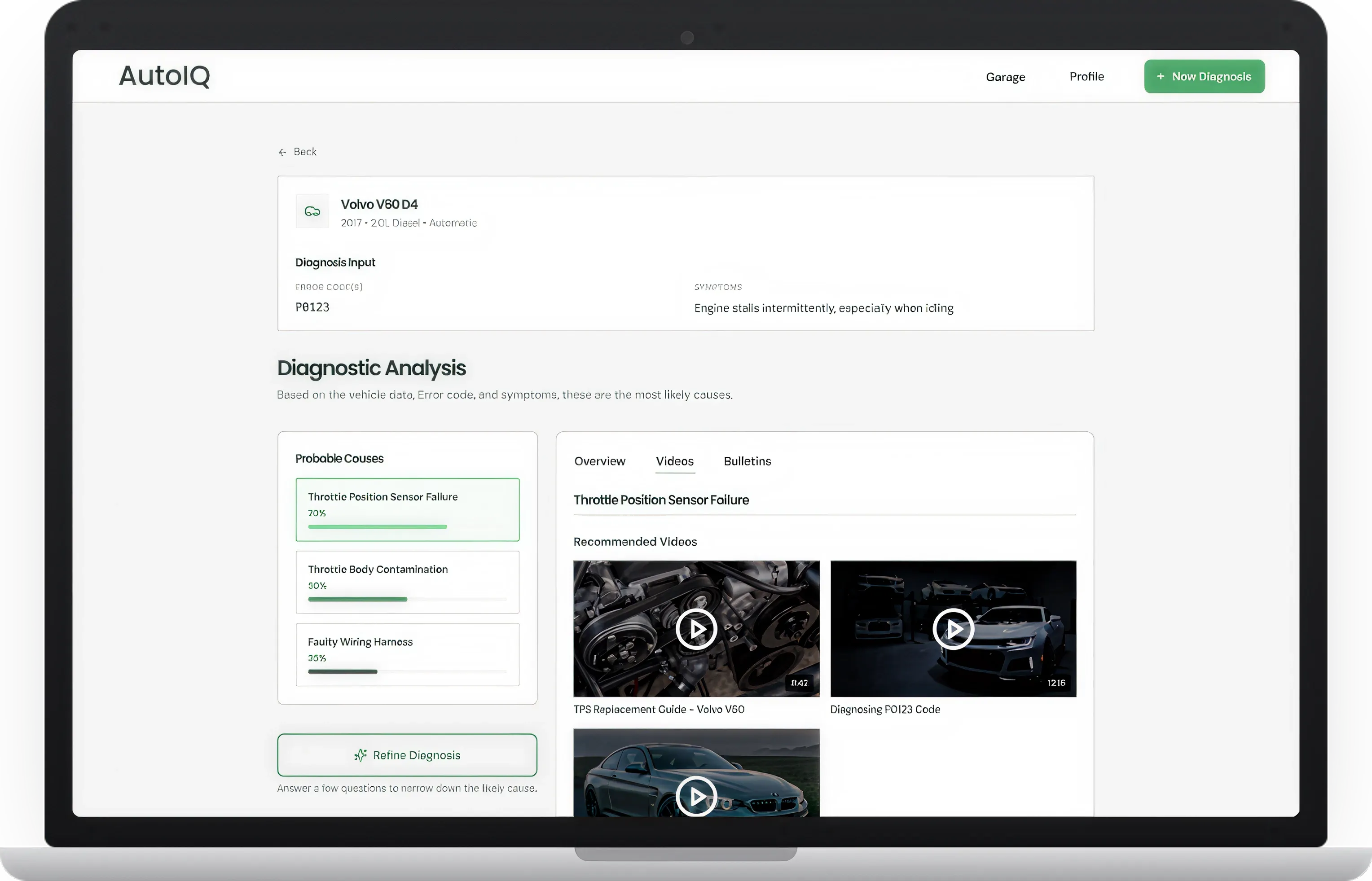
An assistant for mechanics that turns symptoms into ranked, explainable fixes.
View case study →02 · Why UX & UI
Most products don't fail because they look wrong. They fail because the journey underneath doesn't make sense. UX is that journey: what happens at each step, whether people can find what they need, whether the flow matches how they actually think. UI is the surface on top: the type, colour, spacing, states, and motion that make a good journey feel effortless. A polished interface can't rescue a broken flow, so we design the journey first and the surface second, and because both ship from one team, they never fight each other.
Who uses it, and what are they really trying to do?
Every step from entry to done, and where it breaks.
Structure and flow you can react to. No visuals yet.
A clickable version real people can actually use.
Watch real users; fix what fails while it is cheap.
Now the surface. Then the same team ships it.
The first five steps are all UX: no visual design yet. The UI comes last, once the journey is proven with real users. Designing in that order is why the product tests well and still ships on time.
Most teams design the screens and hope the flow holds up. We research the journey, put a clickable prototype in front of real users, and fix what doesn't work while it's still cheap to change, before engineering starts.
And because we build the product too, nothing gets lost in a handoff between a design file and someone else's engineers.
03 · How we design
Five steps from a rough idea to interfaces and prototypes your users, your investors, and your engineers can all work with.
We map your users, goals, and constraints. Stakeholder conversations, competitor teardowns, and a clear picture of the problem before any pixels.
Information architecture and user flows. We agree on what the product does and how people move through it, as wireframes you can react to.
High-fidelity UI for every key screen, web and mobile, on a design system that keeps the product consistent as it grows.
Clickable prototypes to validate with real users before engineering starts. We change things on screen, where it is cheap, not in code.
Developer-ready files, specs, and components. And because we build too, design and engineering stay one team through launch.
04 · Common questions
Short answers to what comes up before we start a project.
Yes. We cover the full surface: user research and flows, information architecture, wireframes, and high-fidelity UI. UX decides how the product works; UI decides how it looks and feels. We do both, on one team, so they never fight each other.
Yes. We design native feeling interfaces for iOS and Android, and responsive web and desktop apps, on one design system so the product feels like itself on every screen. Most engagements cover more than one surface, and we scope the primary platform first.
Yes. If you have a brand, we design inside it and extend it only where the product needs it. If you do not, we build the product level visual language as we go, colours, type, and components, so you finish with a system, not just screens.
Developer ready design files, a documented component library, prototypes, and the specs engineers need to build without guessing. Because we build too, the handoff is usually to our own engineering team, so nothing gets lost in translation.
Yes. Design and engineering are one team at KUMO. We can stop at design if that is what you need, but most clients have us build the product we designed, which keeps the interface we tested and the product that ships the same thing.
You do. Full IP transfer at handover: the design files, the component library, the prototypes, and any code we write are yours. Nothing is locked to a KUMO account or a mandatory retainer.
Book a 30 minute call with the team that will design and build it. No sales funnel, and no junior hand-off.