No-Code vs Low-Code vs Custom Development: Which Builds MVPs Faster? [2026]
No-code fits simple workflows; low-code fits governed internal apps; custom development fits differentiated products. Compare ownership and constraints.
Nov 17, 2025
Use six decision tests before choosing no-code, low-code, or custom development for an MVP: workflow stability, user roles, integration depth, data control, release ownership, and the product advantage you need to keep. No-code fits a simple and stable validation path. Low-code fits governed internal workflows with known platform boundaries. Custom development fits a differentiated product or operational system that needs deeper control.
Speed matters only after the release boundary is clear. A fast build can still fail when the platform cannot support permissions, integrations, data migration, observability, testing, or handover. Compare the effort required to launch safely and to operate the product after the first release.
The comparison below turns those constraints into a buyer decision. Use it to identify what can remain on a platform, what needs custom extension, and what should be built as owned software from the start.
Understanding the Three MVP Development Methods
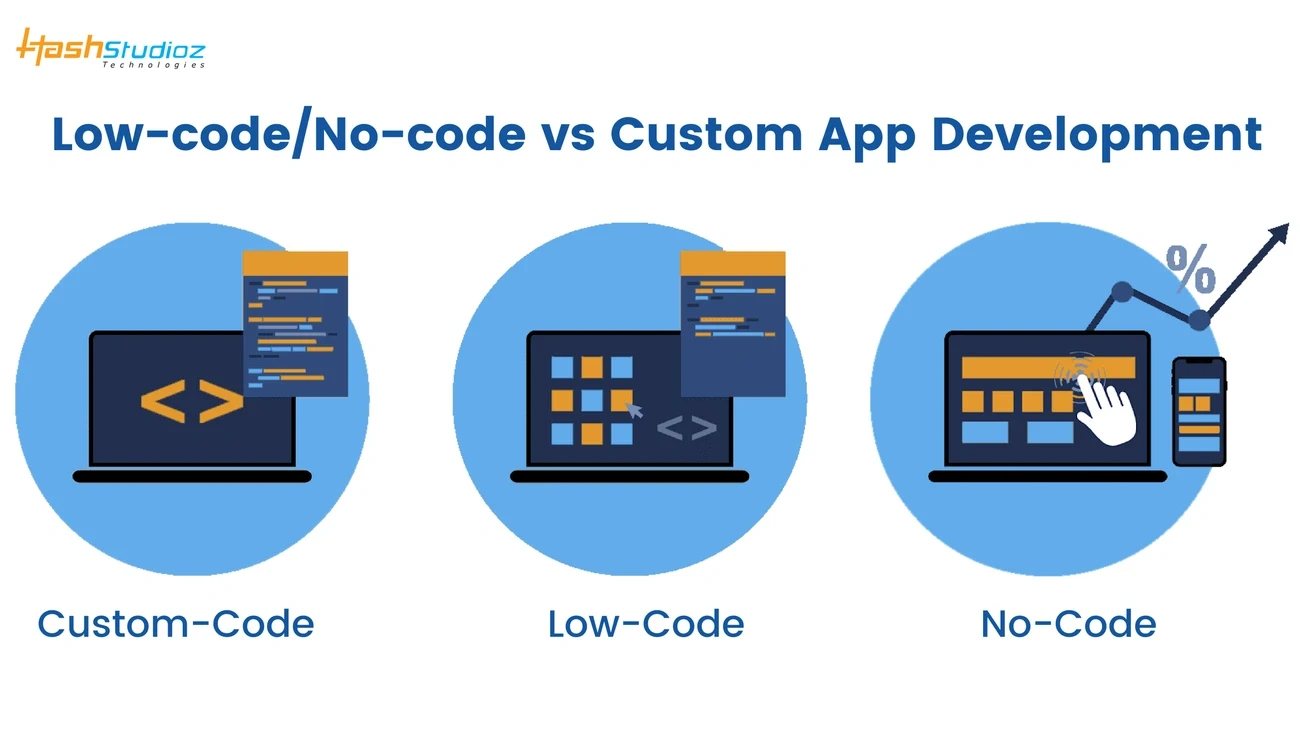
Image Source: HashStudioz Technologies
The three approaches differ in where control lives. No-code keeps most behavior inside managed components. Low-code adds selected extensions while retaining a platform runtime. Custom development gives the product team direct control over application logic, data boundaries, integrations, deployment, and release decisions. Read KUMO’s no-code to custom transition guide for the next decision.
What is No-Code MVP Development?
No-code development uses visual workflows, templates, and managed components to create software without a traditional application codebase. It works best when the user journey, data model, permissions, and integrations are simple enough to stay within the platform’s supported boundaries.
Use no-code for a bounded validation problem: one audience, one core journey, a small data model, and low-risk integrations. Define the exit trigger before launch, such as a permission limit, integration gap, performance constraint, or ownership requirement that would force a move to another approach.
What is Low-Code MVP Development?
Low-code combines managed visual components with custom logic and integration points. It can fit internal applications and operational workflows when the team accepts the platform’s deployment, licensing, data, extension, and governance model.
Evaluate low-code platforms by identity and role controls, connector quality, environment separation, source control, testing, deployment, observability, data export, and extension limits. Vendor feature lists change, so verify each requirement against the current product documentation before committing.
What is Custom MVP Development?
Custom MVP development uses an owned application codebase for the workflows, data model, integrations, and interfaces that define the product. It does not mean building every component from scratch. A sensible scope can still use managed cloud services and proven libraries while preserving control over the differentiating parts. Read KUMO’s MVP scope guide for the next decision.
Custom MVP development creates the application around the product’s own workflows, data model, integrations, and operating requirements. The scoped estimate depends on the release boundary, backend and API work, permissions, migration, QA, security, analytics, deployment, and post-launch ownership.
Speed to Market: Which Approach is Fastest?
Launch speed should be measured against one accepted release boundary. Compare how quickly each approach can deliver the critical user journey with working permissions, integrations, analytics, support paths, and rollback, not how quickly it can produce a screen or demo. Read KUMO’s custom application development guide for the next decision.
Rapid Prototyping with No-Code Tools
No-code can shorten setup when the product stays inside standard components and managed integrations. Prototype the critical journey first, then test permissions, data export, analytics, accessibility, mobile behavior, and the most important integration before treating speed as proven.
No-code is useful for validating whether users complete the core journey and return for the intended value. Track activation, failure, support load, retention, and the manual work required behind the product. A fast launch is not a pass if the operating burden hides the real product risk.
- Validate one critical user journey with real users and measurable acceptance criteria
- Test data export, permissions, analytics, and the highest-risk integration before expansion
- Record the support burden, manual work, and migration trigger after launch
Low-Code for Faster Iteration with Flexibility
Low-code can reduce repeated application setup while still allowing selected custom logic. The tradeoff is platform dependency. Test extension points, deployment controls, connector behavior, data portability, performance under realistic load, and the skills needed to maintain the system.
Low-code works when the platform already supports the required roles, connectors, data model, deployment controls, and operating environment. Custom extensions should remain small enough that the platform still reduces delivery and maintenance work. Read KUMO’s no-code workflow automation guide for the next decision.
Custom Code for Long-Term Projects
Custom delivery usually asks the team to make more architecture, testing, deployment, and maintenance decisions. That work can be justified when those decisions protect a differentiated workflow, complex permission model, regulated control, or integration that a managed platform cannot support safely.
Do not choose custom code merely to avoid a platform. Choose it when an acceptance test shows that owned behavior, deeper integration, data control, performance, or release independence is part of the product advantage.
Pros and Cons of Each MVP Strategy
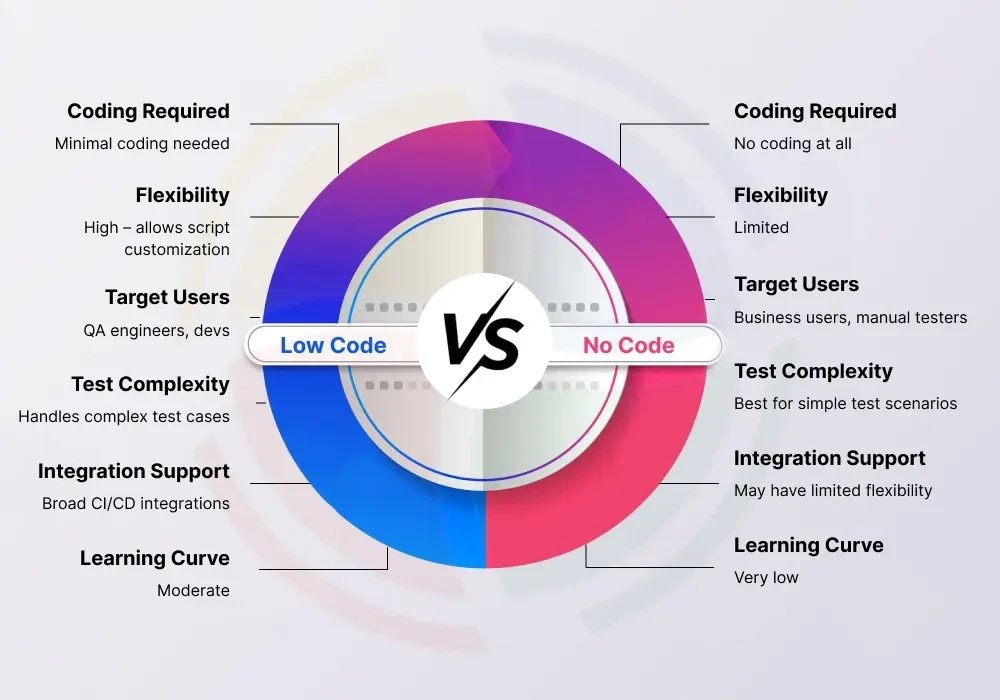
Image Source: Aegis Softtech
Compare each option against the same release boundary and operating model. A fair decision includes what the team must configure, build, test, monitor, support, and eventually migrate, not only the first launch date.
No-Code: Speed and Simplicity vs Limited Customization
Choose no-code when the MVP can prove demand without complex roles, proprietary logic, sensitive actions, or deep system integration. Define the migration path and data-export test before launch so speed does not become lock-in.
The main no-code risk is not growth in the abstract. It is a specific platform boundary that the product eventually crosses. Test data export, role limits, connector behavior, API access, observability, and the cost of moving before the product depends on them. Read KUMO’s guide to scaling beyond no-code for the next decision.
Low-Code: Flexibility vs Learning Curve
Choose low-code when the workflow needs governed roles, reusable components, and business-system connectors, but the product does not need full control over every runtime and release decision. Confirm the platform boundaries with a working integration and deployment test.
Low-code still needs technical ownership. Custom extensions, connectors, environments, deployment rules, and platform upgrades create work that someone must understand and test. Name that owner before choosing the platform.
Custom Code: Full Control vs High Cost and Time
Custom development gives the team direct control over the codebase and release path. That control is useful only when it is backed by documentation, automated tests, deployment access, observability, and a handover that another capable team can operate.
Choose custom development when the product advantage lives in proprietary workflows, complex permissions, differentiated UX, regulated controls, or deep integrations. Require a scoped proposal that separates discovery, the first controlled release, production hardening, rollout, and operating ownership. Review KUMO’s founders product partnership and CampaignHQ product case study before scoping the first milestone. Map the first build milestone with KUMO.
Future-Proofing Your MVP: What to Consider
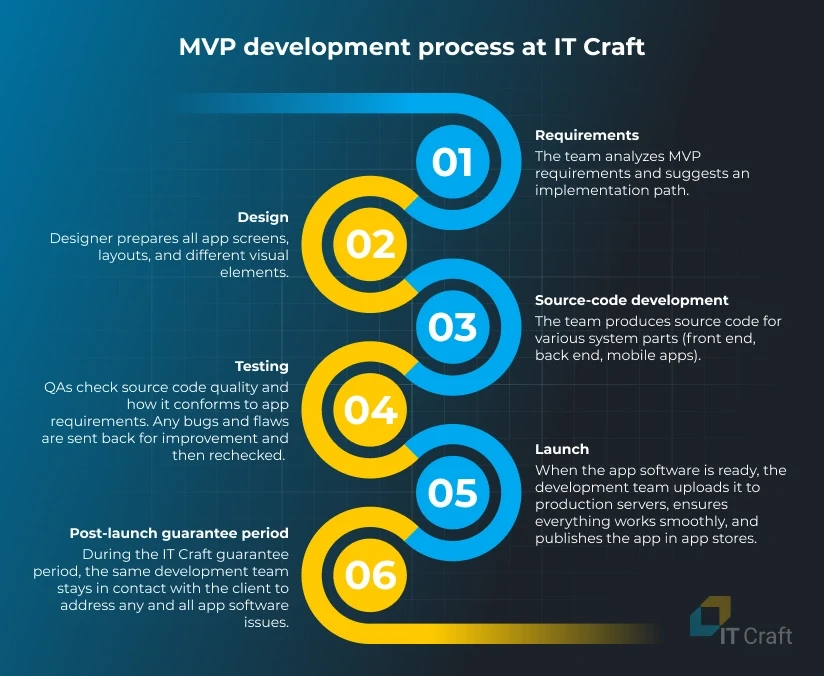
Image Source: IT Craft
Future readiness is not a promise that the first architecture will last forever. It means keeping important decisions reversible, collecting evidence from real usage, and knowing which constraints would trigger a platform change, redesign, or deeper engineering investment.
Scalability and Integration Capabilities
Test scale and integration requirements with concrete scenarios: expected records and users, peak requests, background jobs, file sizes, data residency, identity rules, third-party rate limits, failure handling, and recovery. The right architecture follows those constraints.
Vendor Lock-in Risks in No-Code/Low-Code
Treat portability as an acceptance test. Export representative data, document platform-specific logic, identify unavailable source code, list external connectors, and estimate the work needed to move the critical journey. A vendor statement about portability is not enough.
Security and Compliance in Custom Development
Security and compliance depend on the actual data, actions, users, and jurisdictions involved. Map sensitive fields, roles, audit needs, retention, incident response, and third-party access before assuming that either a managed platform or custom code is automatically safer.
Hybrid MVP Development: Combining Strengths
A hybrid path can keep commodity workflows on managed tools while reserving custom engineering for the product logic, integrations, or controls that create an advantage. Define system boundaries and ownership clearly so the hybrid design does not become an untestable chain of dependencies.
Conclusion
Choose the approach that can prove the product hypothesis without creating an operating risk the team cannot own. The answer may differ by workflow, even inside the same product. Map the first build milestone with KUMO.
No-code is the speed-first option only for a simple, stable scope. It is strongest for validating one core journey with limited roles and integrations. Test data portability, support burden, analytics, and the exit trigger before expanding the product.
Low-code is the governed-platform option. It can fit internal applications and operational workflows when the connector, role, deployment, and data model are supported. Keep custom extensions small enough that the platform still saves operational work.
Custom development fits when the product needs owned behavior, deeper control, or unsupported integration from the first accepted release. It also requires a team that can own testing, deployment, monitoring, security, documentation, and change after launch.
A mixed approach is valid when the boundaries are deliberate. Keep simple internal workflows on managed tools, use low-code where its governance and connectors fit, and reserve custom development for the logic and controls that make the product distinct.
The first release should leave the next decision easier, not harder. Record what the MVP must prove, what evidence will be collected, which constraints are acceptable, and what result would justify staying, extending, or rebuilding. Map the first build milestone with KUMO.
FAQs
Q1. What are the main differences between no-code, low-code, and custom development for MVPs? No-code keeps the journey inside managed components, low-code adds governed extensions to a platform, and custom development gives the team direct control over application behavior and release decisions.
Q2. Which approach builds MVPs the fastest? No-code is usually fastest for a simple journey that stays inside supported components. Low-code can be faster for governed internal workflows. Custom development can be the safer path when complex permissions, integrations, or proprietary behavior are required from the first release.
Q3. How do costs compare between these three development approaches? Compare total ownership rather than a generic build range. Include platform licensing, connectors, custom extensions, data work, QA, deployment, monitoring, support, migration risk, and the team required to operate the product.
Q4. What are the scalability considerations for each method? Test the actual workload, data model, permissions, integrations, background jobs, peak demand, observability, and recovery needs. The option that passes those scenarios is the scalable option for that release boundary.
Q5. Is coding still relevant for MVP development? Yes. No-code and low-code reduce application setup for supported patterns, while custom code remains necessary when the product needs proprietary behavior, deeper control, unsupported integrations, or an owned runtime and release path.